Overview
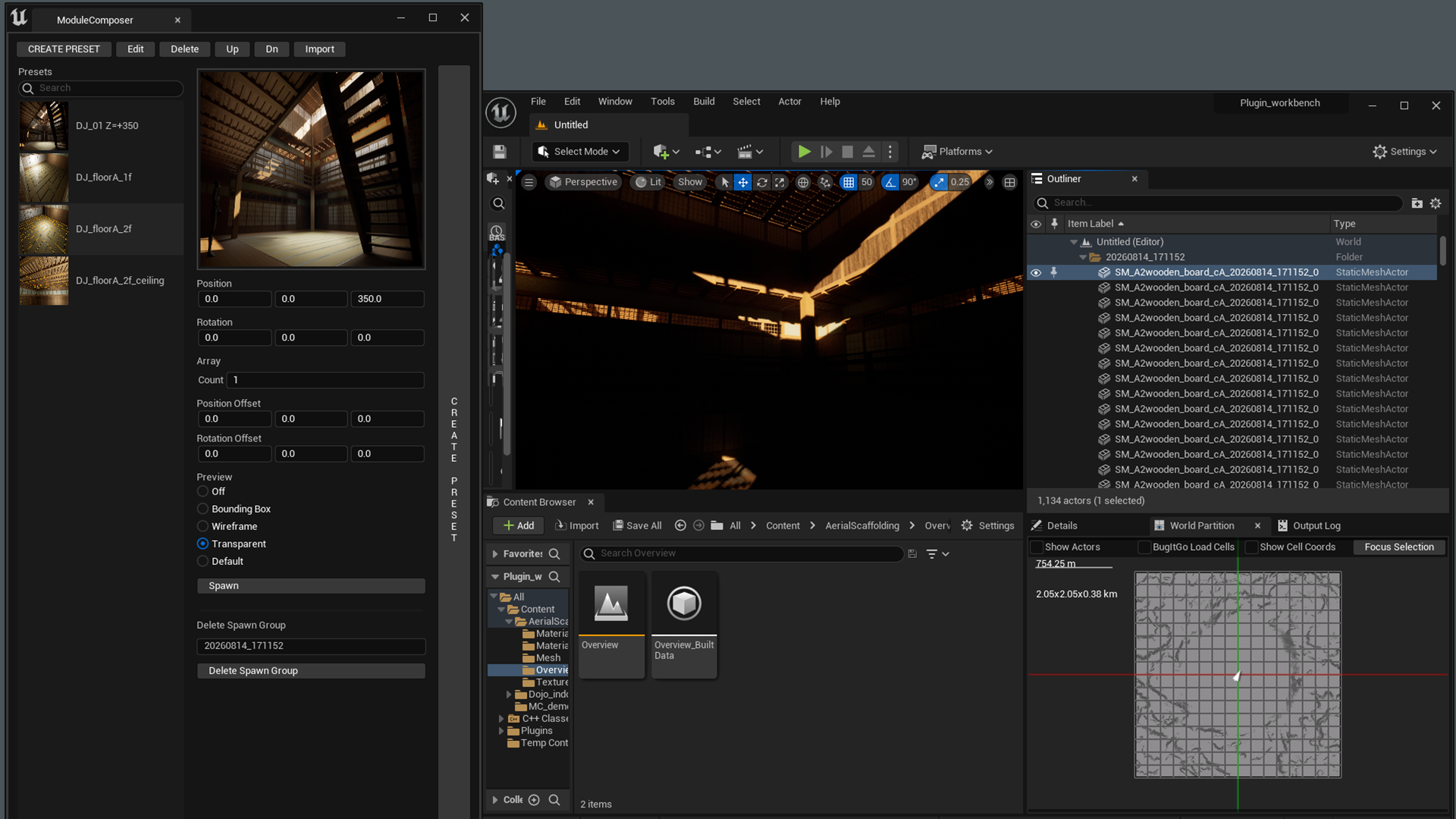
ModuleComposer allows you to register multiple Static Meshes placed in the level as a preset and duplicate that preset anywhere in the map.
Presets are linked to the names of Static Mesh assets in the Content Browser. If another project contains Static Meshes with the same names, the same presets can be reused without modification.
Every Static Mesh spawned with this tool stores its spawn timestamp. The built-in DeleteGroupSpawn feature can remove every mesh created at a specific time.
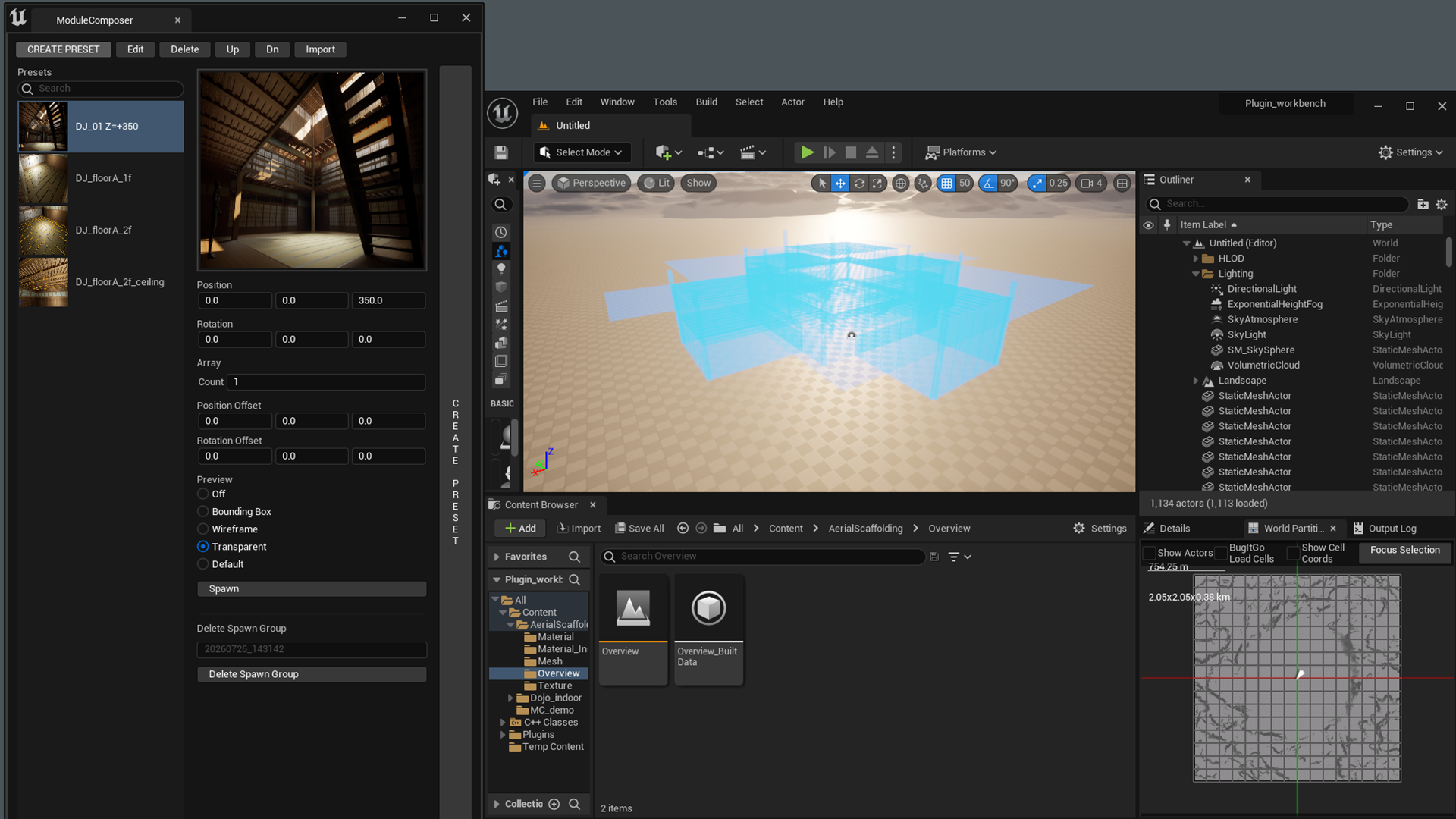
Launch ModuleComposer
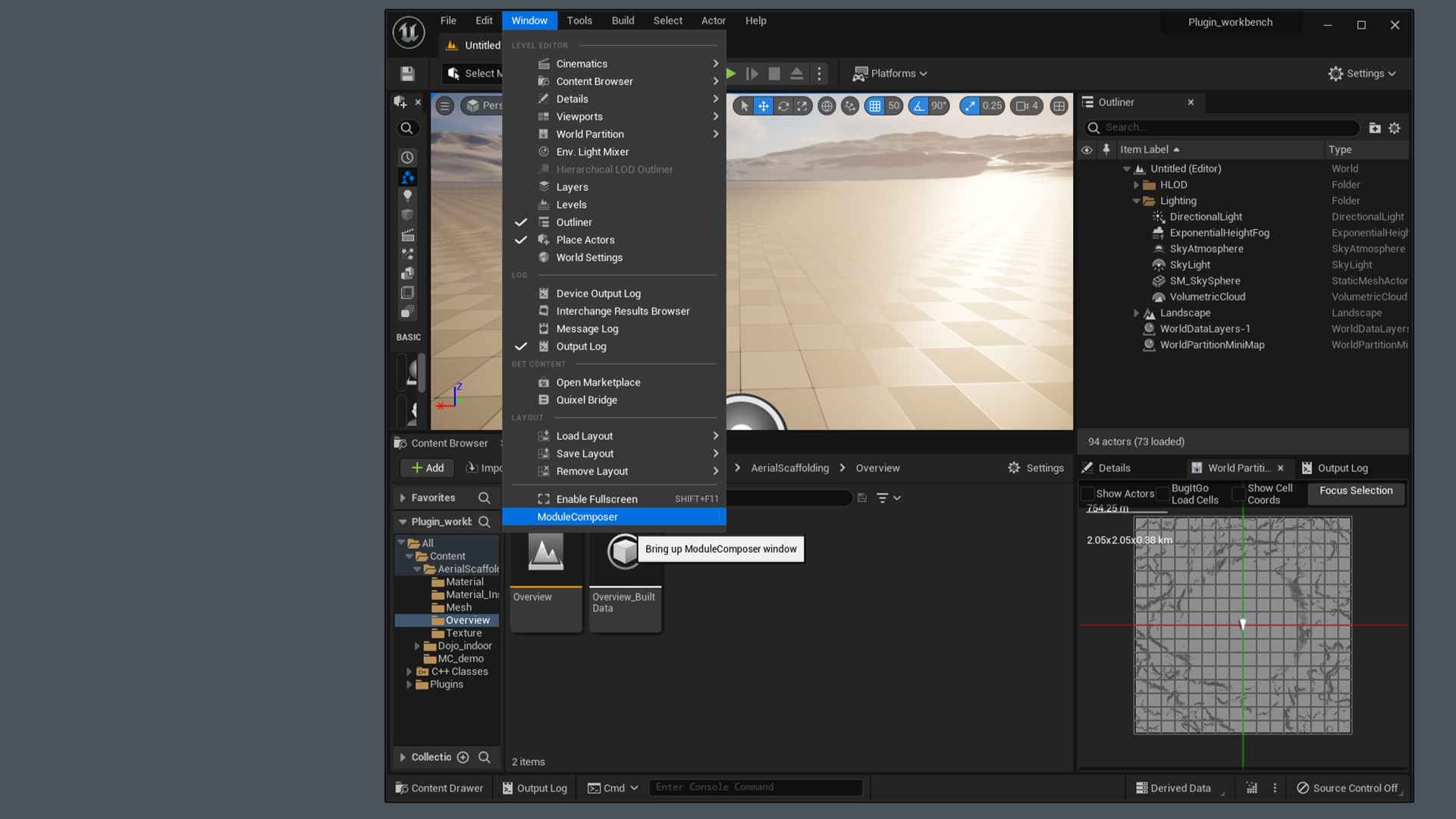
How to Place a Preset
- Select the preset you want to place.
- Enable Preview Mode.
- Adjust Position and Rotation.
- Click Execution to place the module.
- If you are not satisfied with the result, click DeleteGroupSpawn to remove it.
|Array
The Array feature allows you to place the same preset multiple times.
Use Count to specify the number of instances to place, and Position Offset to specify the position interval between each instance.
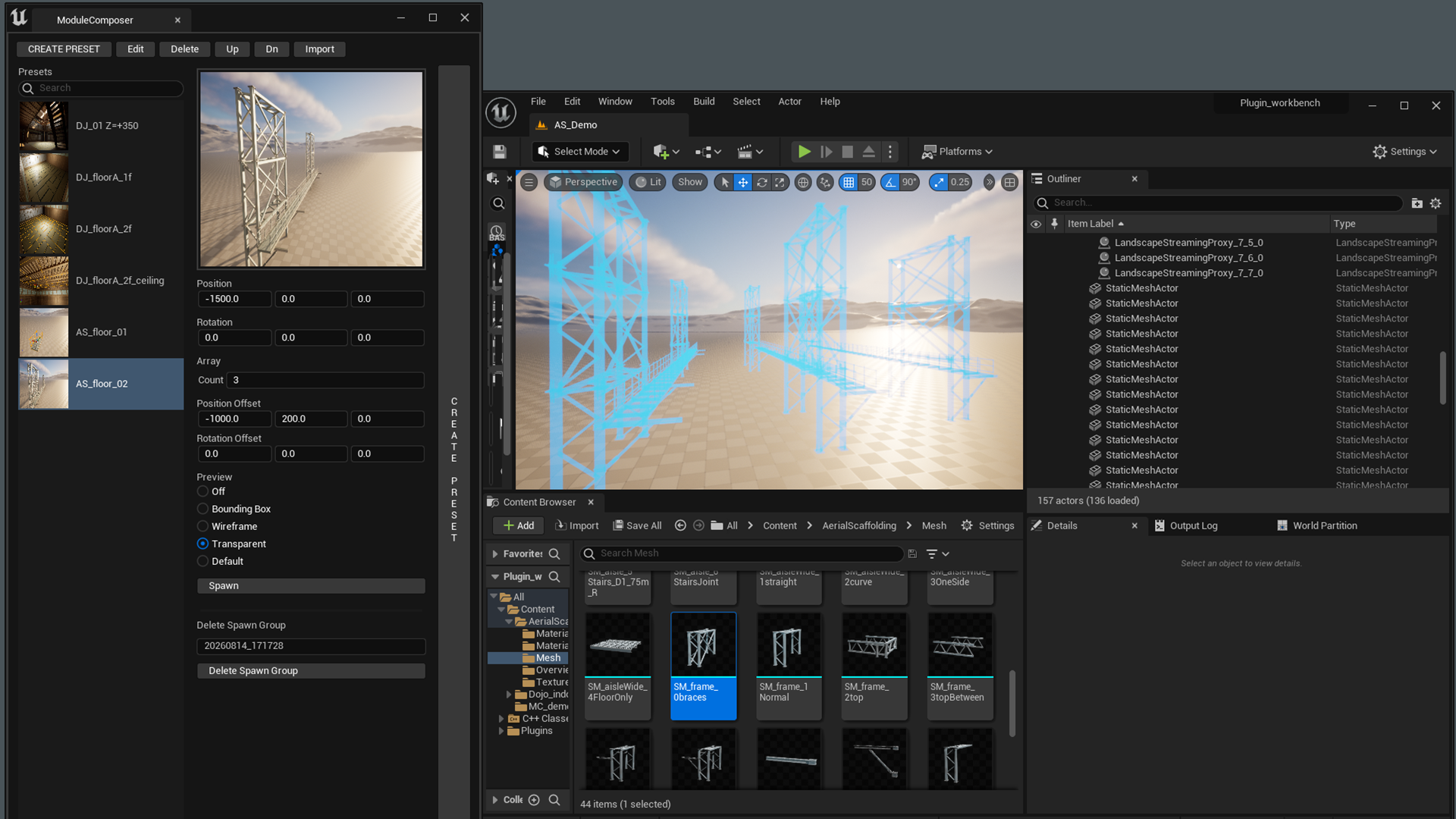
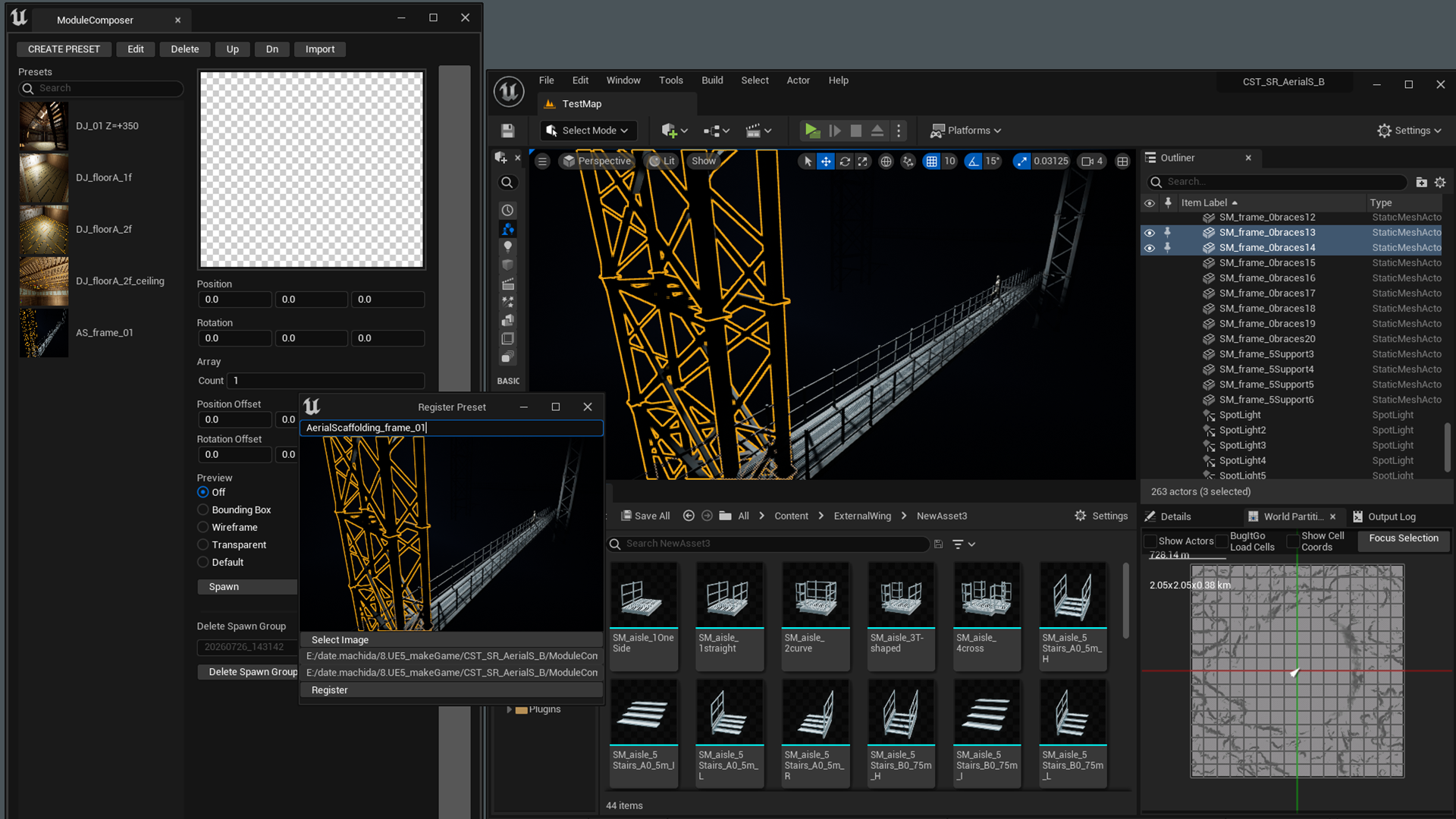
How to Create a Preset
- Select the Static Meshes you want to register.
- Press G to hide unnecessary editor elements.
- Click CREATE PRESET.
- Enter a preset name.
- Click Register.
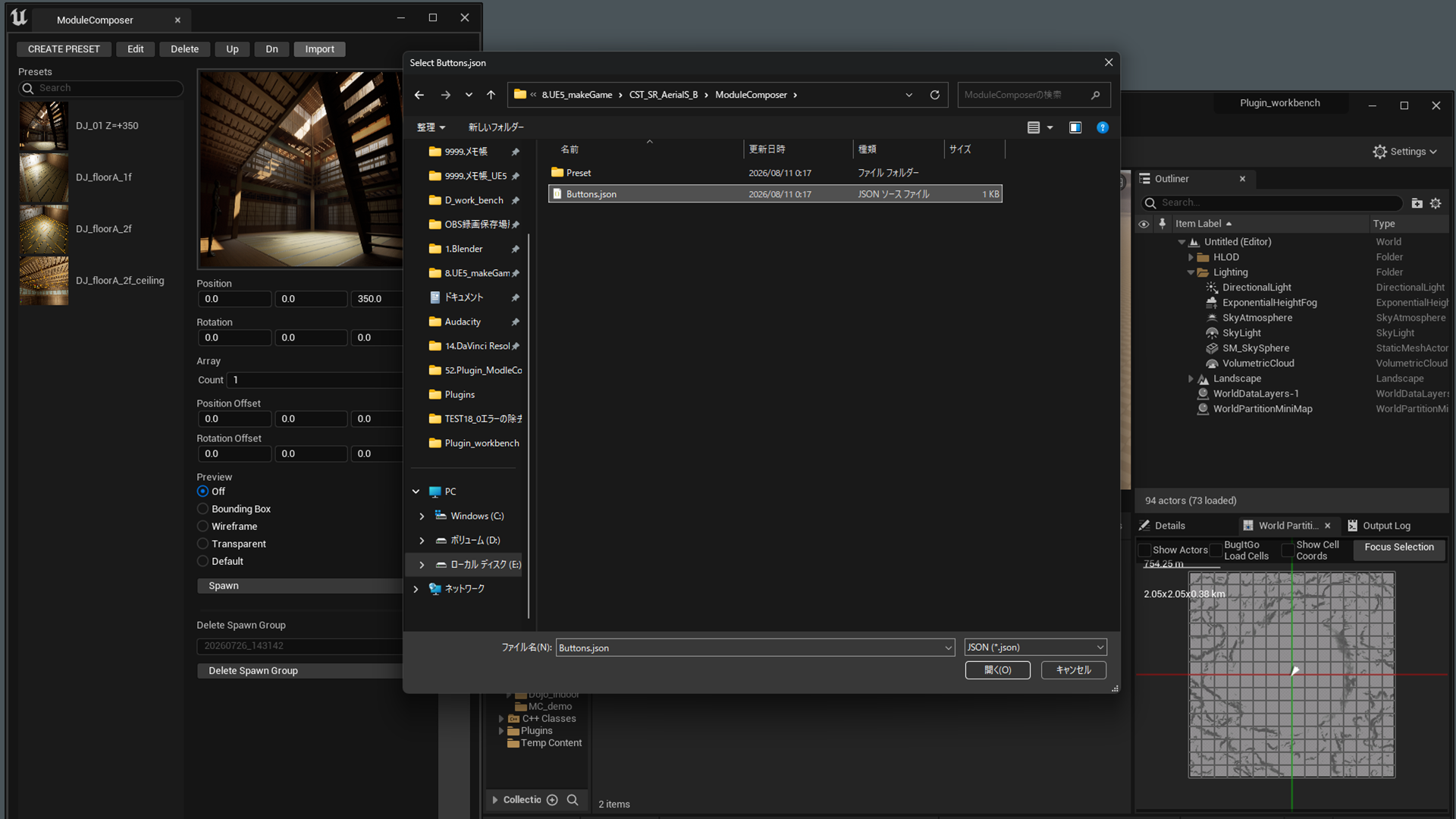
Import Presets from Another Project
- Click Import.
- Select
Buttons.jsoninside the other project'sModuleComposerfolder. - Click Register.
Edit Preset Buttons
Delete
Select a preset button and click Delete to remove it.
Up / Down
Select a preset button and click Up or Down to change its order.
Edit
Select a preset button and click Edit to open the editor.
- Change the preset name.
- Replace the preview thumbnail.
DeleteGroupSpawn
Whenever a module is placed using Execution, a spawn timestamp is automatically stored on every spawned Static Mesh.
Enter the timestamp to delete every Static Mesh created at that time.
2026_0728_2217